

How to Merge PDFs (Combine Files, Set the Order, and What Happens to File Size)
How large is a PDF after merging several files? I merged three PDFs to check file size, page orientation and text, and compared merging then compressing with compressing then merging for large scans.
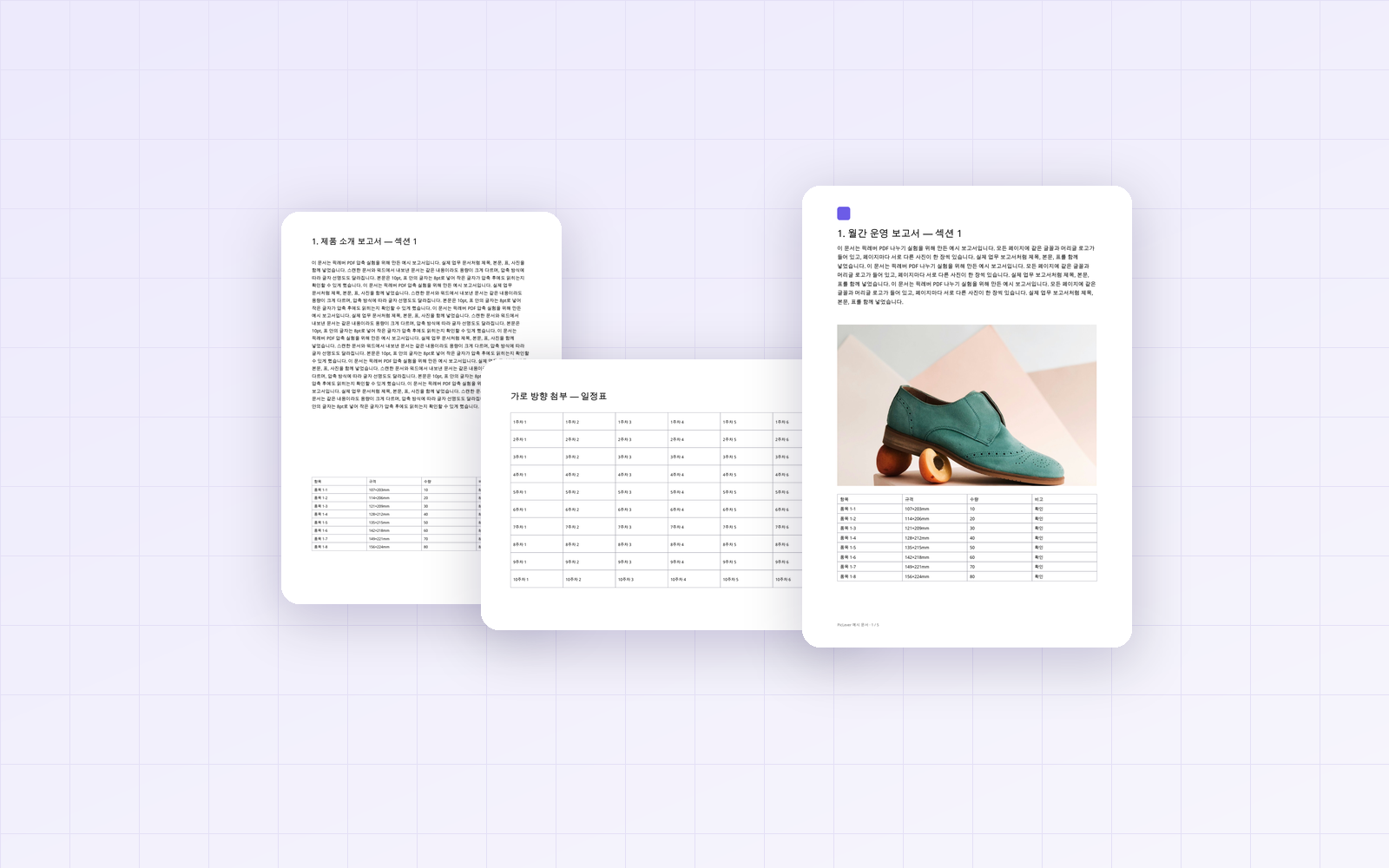
You often need to submit an application, supporting documents or several scans as a single PDF. Merging itself is simple, but questions come up once you try it. Does merging make the file bigger? What happens to landscape pages? If the scans are large, should you compress first? I merged files with PicLever's Merge PDF to find out.
Bottom line: the merged PDF was almost exactly the sum of the originals (1,668KB → 1,645KB). A landscape page stayed landscape, and text stayed selectable and searchable. Two 9.4MB scans came to 19.3MB when merged, and merging then compressing or compressing then merging both produced 1.16MB.
Merging three PDFs
I merged, in order, a portrait A4 report (5 pages), a landscape schedule (1 page) and a text-only document (5 pages).
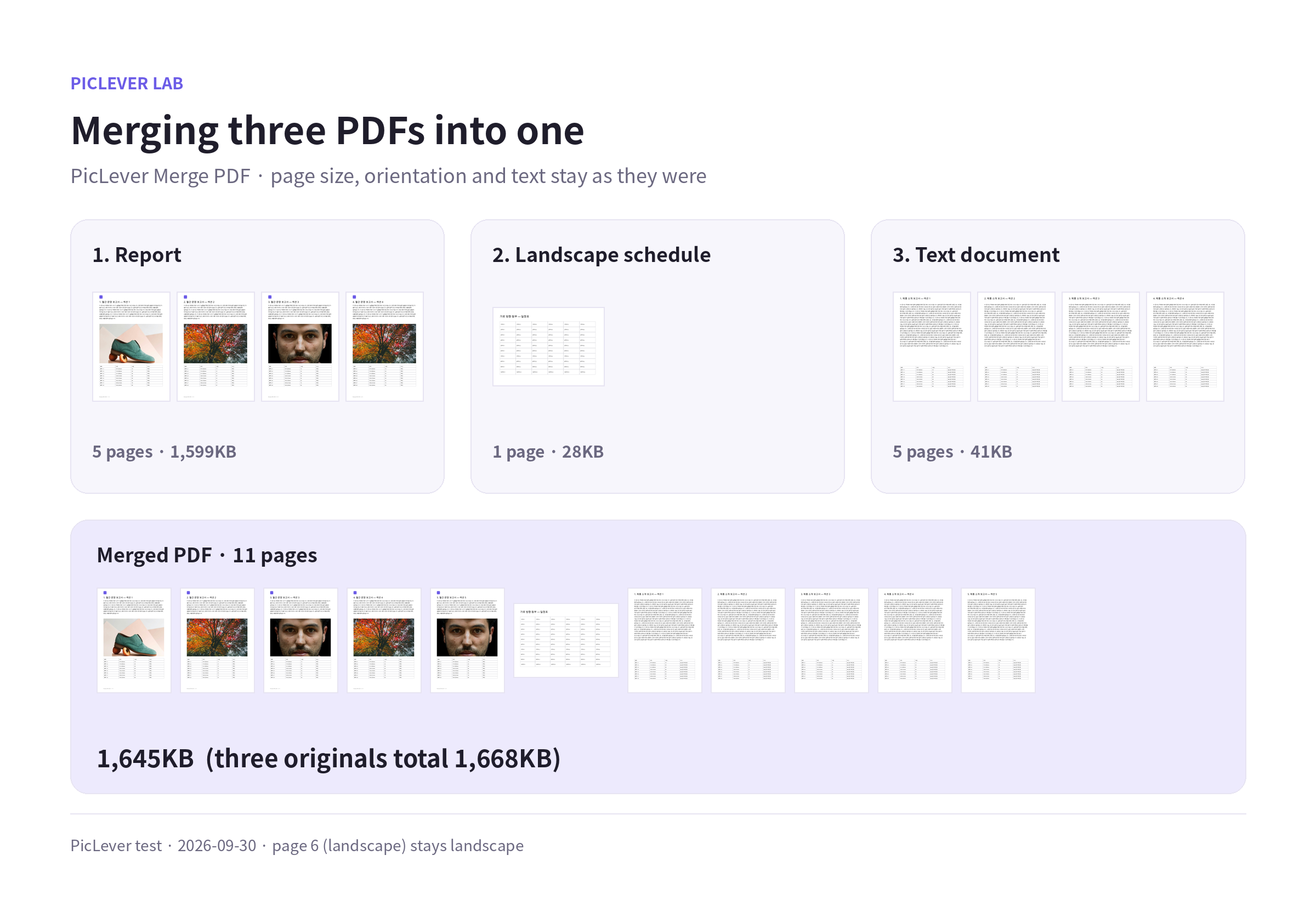
| File | Pages | File size |
|---|---|---|
| 1. Report (A4 portrait, with photos) | 5 | 1,599KB |
| 2. Schedule (A4 landscape) | 1 | 28KB |
| 3. Text document (A4 portrait) | 5 | 41KB |
| Merged PDF | 11 | 1,645KB (originals total 1,668KB) |
-
The size neither shrinks nor grows much. Merging copies pages as they are, so the result is roughly the originals added together. This time it came out 1% smaller after overlapping data was tidied up.
-
Page size and orientation stay as they were. The landscape schedule stayed landscape in the merged PDF. To make it portrait, use Rotate PDF after merging and enter just that page number (for example, 6) in the page range.
-
Text isn't turned into images. Text was still selectable and searchable after merging. Bookmarks and form fields from the originals may not be preserved, though.
Large scans: when should you compress?
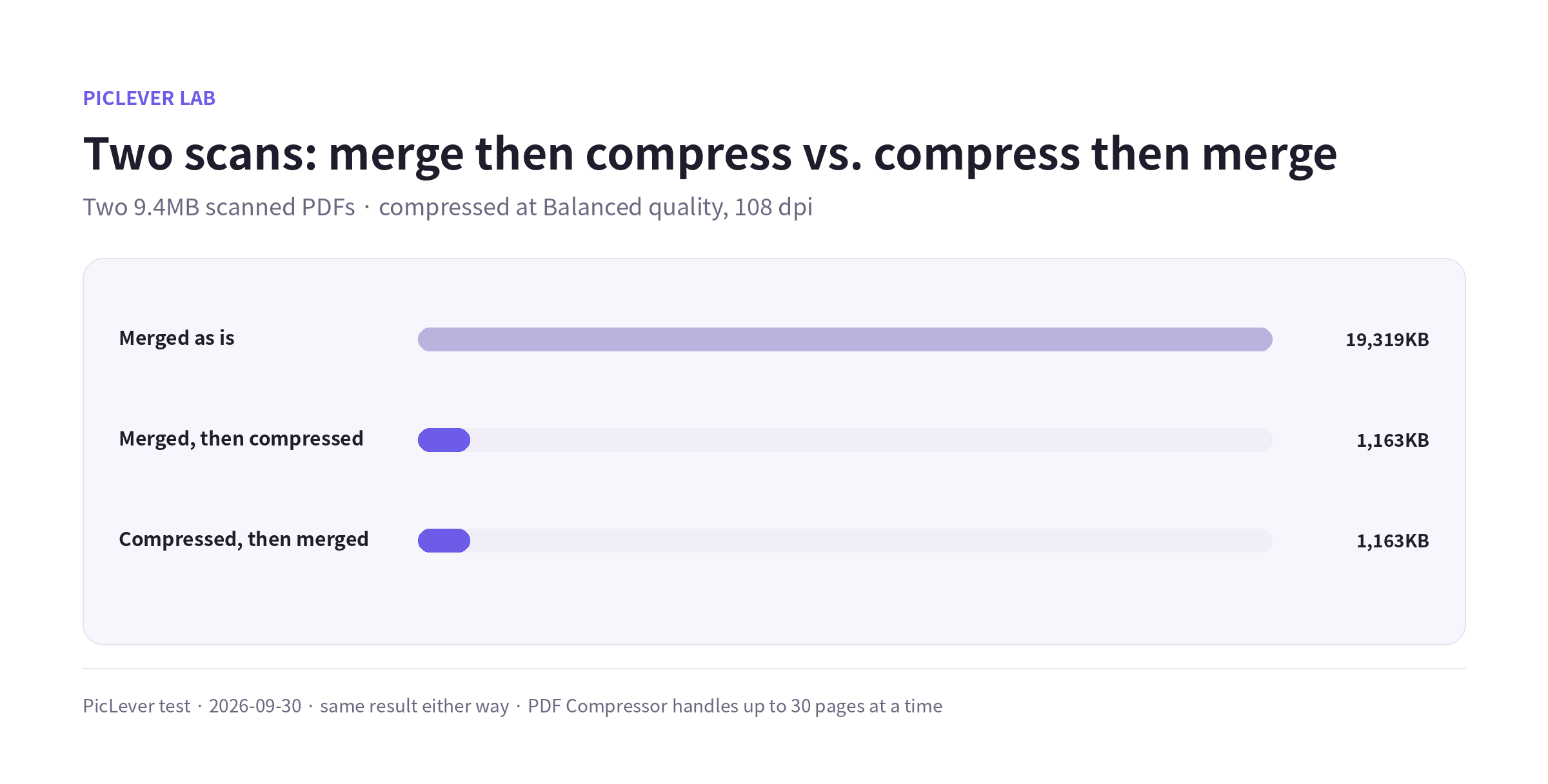
Merging two 9.4MB scanned PDFs makes a 19.3MB file. If that's over the upload limit you'll need to compress, so I compared merging then compressing with compressing then merging.
| Method | File size |
|---|---|
| Merged as is | 19,319KB |
| Merged, then compressed | 1,163KB |
| Compressed, then merged | 1,163KB |
-
The order made no difference to the final size. Do whichever is more convenient.
-
The PDF Compressor handles up to 30 pages at a time, though. If the merged file is longer than 30 pages, compress each file first, then merge.
-
Compression turns pages into images, so text is no longer selectable or searchable. It's best for documents that are already images, like scans. See How to Reduce PDF File Size for results by setting.
Test setup
-
Samples: a 5-page A4 report with photos (1.6MB), a 1-page landscape schedule, a 5-page text-only document, and two 5-page PDFs simulating 300 dpi scans (9.4MB each)
-
Merged with PicLever Merge PDF and compressed with the PDF Compressor at Balanced quality and 108 dpi · Tested 2026-09-30
-
Photos: Irene Kredenets, Fineas Anton, Jaime Lopes / Unsplash. File sizes vary with document content.
Merging PDFs with PicLever
-
In Merge PDF, click Add PDFs and upload every file you want to combine—up to 50MB per file, 100MB in total and 200 pages.
-
Use the ↑ ↓ buttons in the file list to set the order. Files at the top become the first pages. Remove any file you don't need with ×.
-
Switch the Preview file to check each file, then click Create result.
-
Check the result in the preview and save it.
To fine-tune the page order after merging, use Reorder pages. To drop some pages, use Remove pages.
FAQ
Q. Can I merge photos (JPG) with PDFs?
Merge PDF only accepts PDF files. Convert photos to PDF first with Image to PDF, then merge them together. For tips on keeping the photo PDF small, see How to Combine Multiple Photos into One PDF.
Q. My merged PDF is over the size limit.
If it contains scans, compression can shrink it a lot. For documents whose text must stay searchable, remove unneeded pages or split the file and upload it in parts—see How to Split a PDF.
Q. Can I merge password-protected PDFs?
Password-protected PDFs can't be uploaded. Remove the password in the original app first, then merge.
Related posts
-
How to Split a PDF (Split vs. Extract vs. Remove Pages, and What Happens to File Size)
-
How to Reduce PDF File Size: Resolution and Quality Settings Compared (9.4MB Scan → 0.57MB)
-
How to Combine Multiple Photos into One PDF (7.8MB of Phone Photos → 1.3MB, Text Sharpness Compared)
-
How to Add Page Numbers to a PDF (Skip the Cover, Start from Any Number)
-
How to Add a Watermark to a PDF (Opacity from 15% to 75% Compared, Without Hiding the Text)
-
How to Reorder PDF Pages (Move to Front, Reverse Order, and What Happens to Bookmarks and Links)
-
How to Print a Long Screenshot on A4 (One Page Shrinks Text to 2pt—Where Should You Split It?)