

How to Convert PDF to JPG (72, 144 or 216 dpi? JPG or PNG?)
What resolution should you use when converting a PDF to JPG, and should you save as JPG or PNG? I converted the same A4 document at 3 resolutions and 3 formats and compared text sharpness and file size.
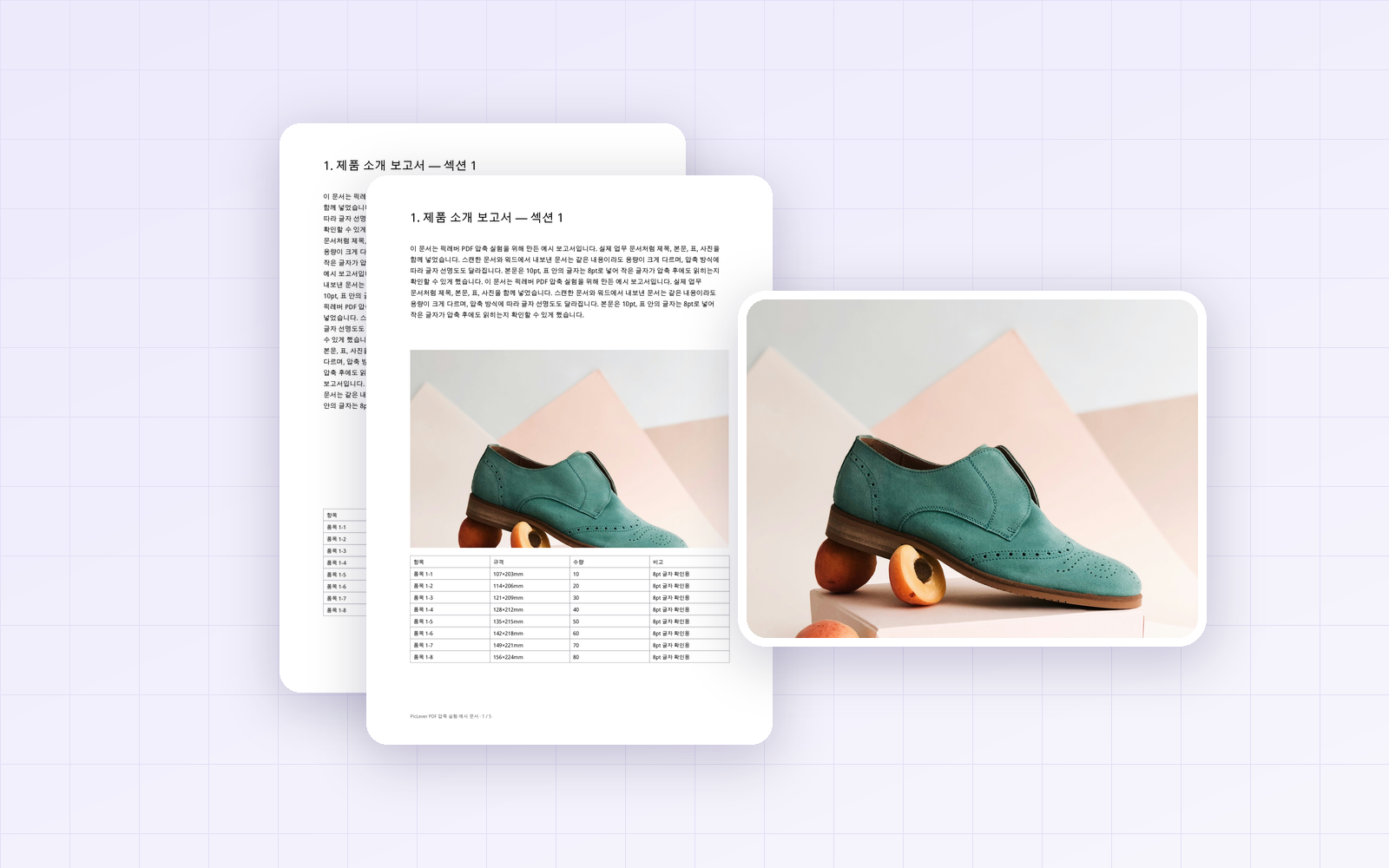
To show a PDF in a chat app or submit it to a site that only accepts image files, you need to turn it into a JPG. That raises two questions: what resolution to use and whether to save as JPG or PNG. I converted the same A4 document with PicLever's PDF → Images at 3 resolutions × 3 formats and compared text sharpness and file size.
Bottom line: for viewing on screen, 144 dpi was the best fit. At 72 dpi even 10pt body text looked blurry, and 216 dpi stayed sharp when zoomed or printed but was 1.7× larger. For format, use JPG for pages with photos (about a third the size of PNG) and PNG for text-only pages (smaller than JPG, and lossless, so text doesn't blur).
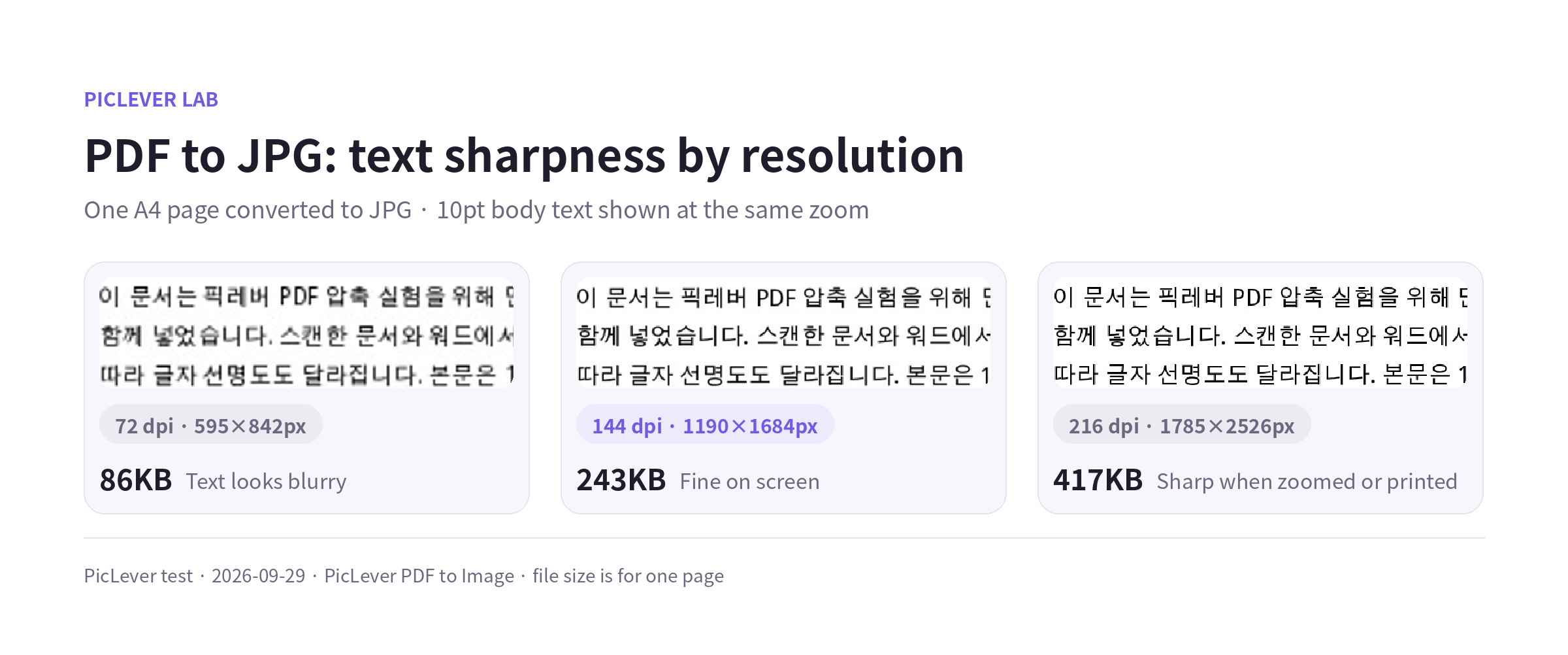
Results by resolution (one A4 page, JPG)
| Resolution | Image size | File size | 10pt body text |
|---|---|---|---|
| 72 dpi | 595 × 842px | 86KB | Blurry, uncomfortable to read |
| 144 dpi | 1190 × 1684px | 243KB | Fine on screen |
| 216 dpi | 1785 × 2526px | 417KB | Sharp when zoomed or printed |
-
72 dpi makes an A4 page 595px wide. It may fill a phone screen, but text breaks up when you zoom in.
-
144 dpi gives 1190px wide, which was plenty for reading on a phone or monitor.
-
For drawings or tables the recipient will zoom into, or pages they'll print, choose 216 dpi.
JPG or PNG?
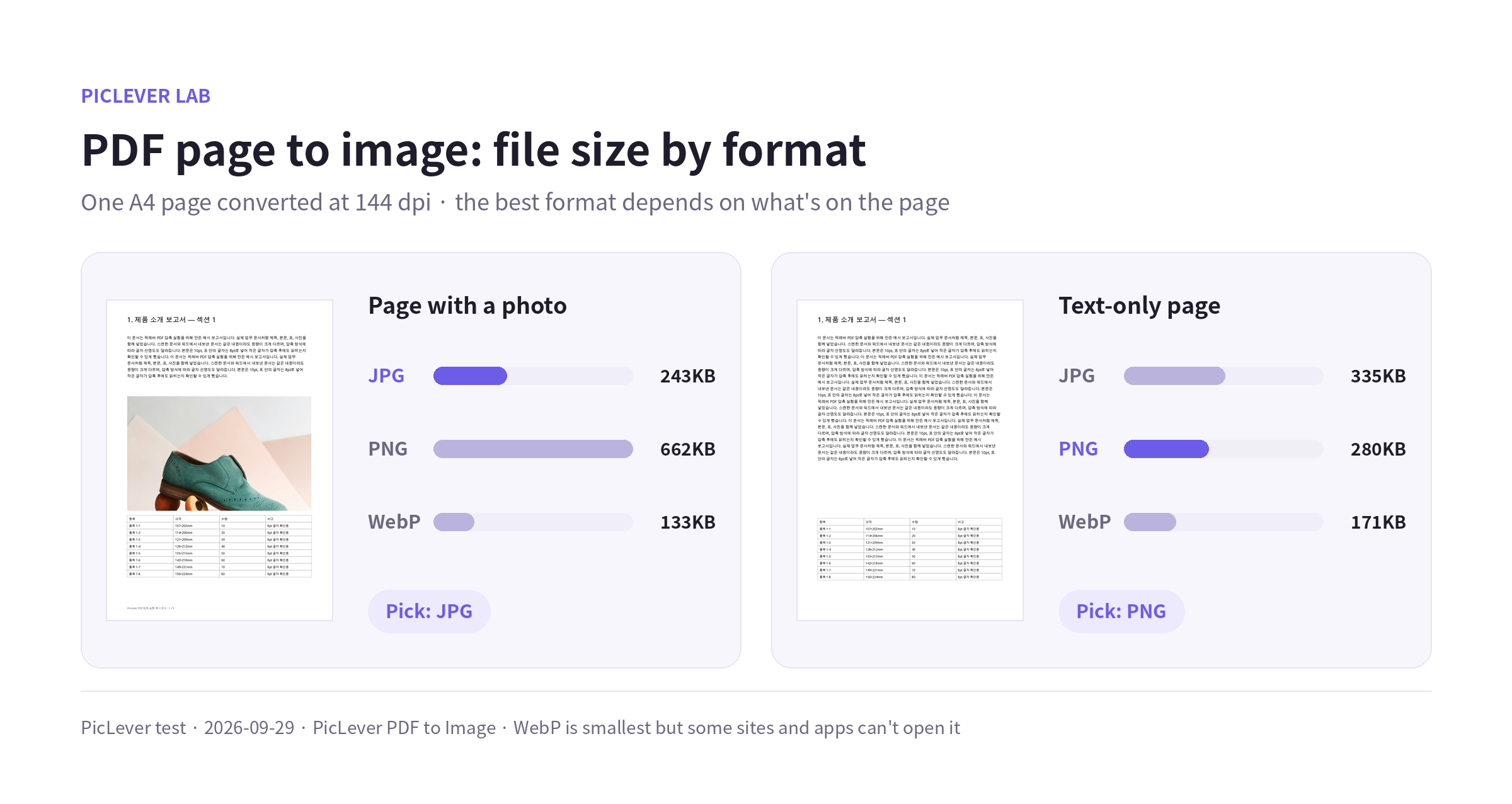
I kept the same pages at 144 dpi and changed only the format. The results flipped depending on whether the page had a photo.
| Page | JPG | PNG | WebP |
|---|---|---|---|
| Page with a photo | 243KB | 662KB | 133KB |
| Text-only page | 335KB | 280KB | 171KB |
-
Page with a photo: PNG was 2.7× larger than JPG. Photos are much lighter as JPG.
-
Text-only page: PNG was actually 16% smaller than JPG. Simple images like black text on a white background compress well as PNG, and since PNG is lossless, there's no blurring around the letters.
-
WebP was the smallest in both cases, but some upload sites and older apps can't open it. If you're not sure the recipient supports WebP, JPG or PNG is safer.
Test setup
-
Samples: two A4 report pages—one with 10pt body text, an 8pt table and a photo, and one with only text and a table (Photo: Irene Kredenets / Unsplash)
-
Converted with PicLever PDF → Images at every combination of 72, 144 and 216 dpi × JPG, PNG and WebP · Tested 2026-09-29
-
For the text comparison, the three results were scaled to the same size and the 10pt body text was zoomed in. File sizes vary with page content.
Converting a PDF to JPG with PicLever
-
Upload the PDF to PDF → Images. Files are processed in your browser, up to 30 pages per batch.
-
Choose the Image format: JPG for photo-heavy pages, PNG for text and tables.
-
Leave Resolution at 144 dpi, or raise it to 216 dpi for documents that will be printed or zoomed into.
-
To convert only some pages, enter them in Page range, for example "1-3, 5". Leave it blank to convert every page.
-
Click Convert to images, then save each page or download them all at once as a ZIP.
FAQ
Q. Can I extract just the photos inside a PDF?
PDF → Images converts entire pages. If you only need one photo, convert the page and then cut out the part you need with the Image Cropper.
Q. The converted image is too large to upload.
Drop the resolution one step, or shrink it with the Image Compressor. For settings by target size, see Image Too Large to Upload?.
Q. Can I combine several JPGs back into one PDF?
Yes. Upload the images in order to Image to PDF to combine them into a single PDF.