

CODE128 vs CODE39 (Inventory and Asset Labels: How Long Is the Same Barcode?)
I encoded the same values in CODE128 and CODE39 to compare printed length, accepted characters and decoding—and how many characters fit on a 50mm label.
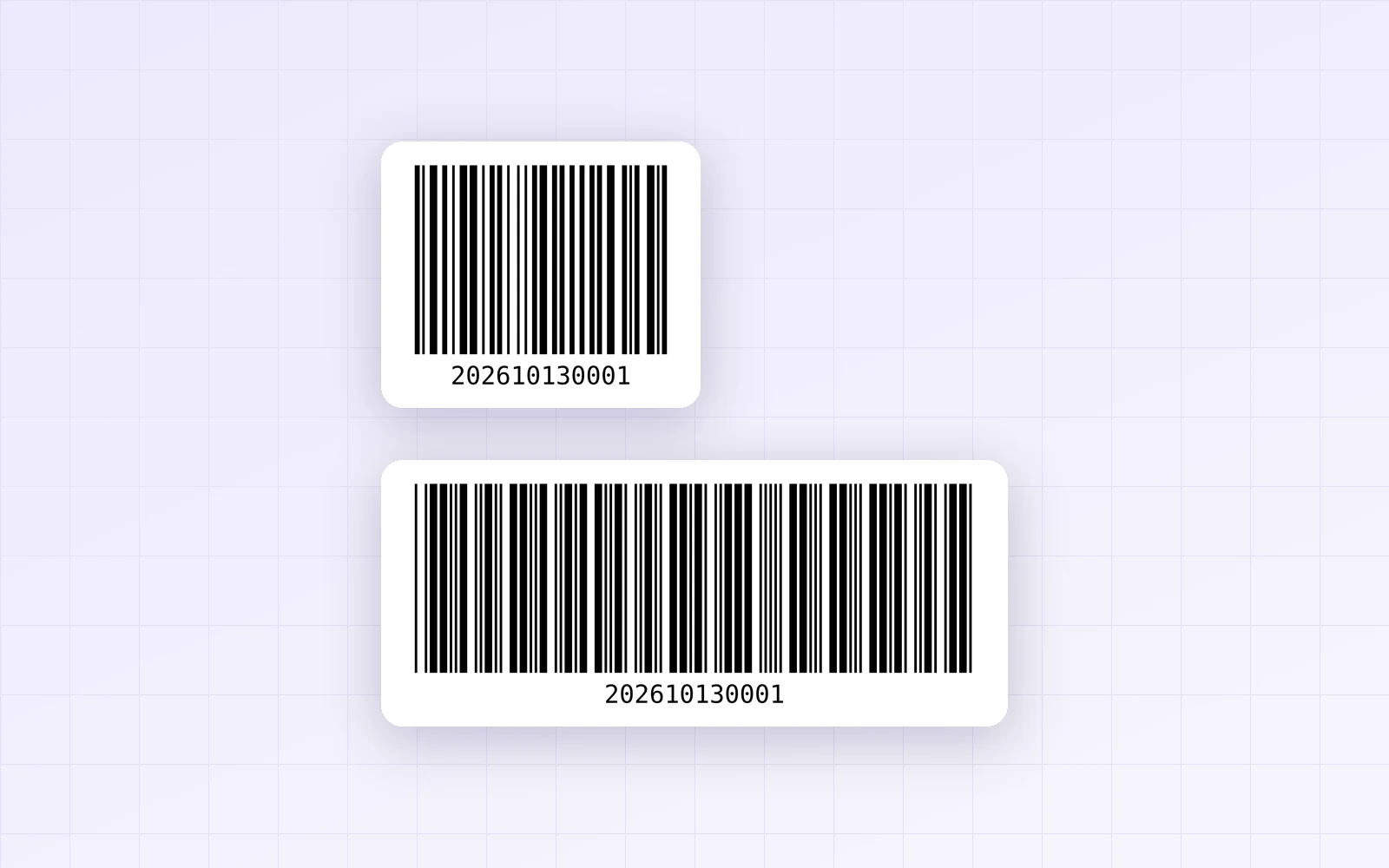
For inventory, asset tags, shipping boxes or office equipment labels—anything that isn't sold at a checkout—you don't need a retail barcode like EAN-13. CODE128 and CODE39 let you encode your own values without registering a number. But which one should you pick? With PicLever's barcode generator, I encoded the same values in both formats and compared printed length (mm), which characters they accept and how they decode.
Bottom line: at the same 0.33mm narrow bar, 12 digits took 39.9mm in CODE128 and 80.5mm in CODE39—CODE128 was half the length. A 12-character value with letters (PL-2026-0001) was still 28% shorter in CODE128, at 58.1mm. CODE39 accepts only uppercase letters, digits and a few symbols; lowercase was rejected. On a 50mm-wide label, CODE128 fit up to 16 digits or 8 mixed characters, while CODE39 topped out at 4. If you're starting fresh, CODE128 is the safe choice.
Same content, up to twice the length
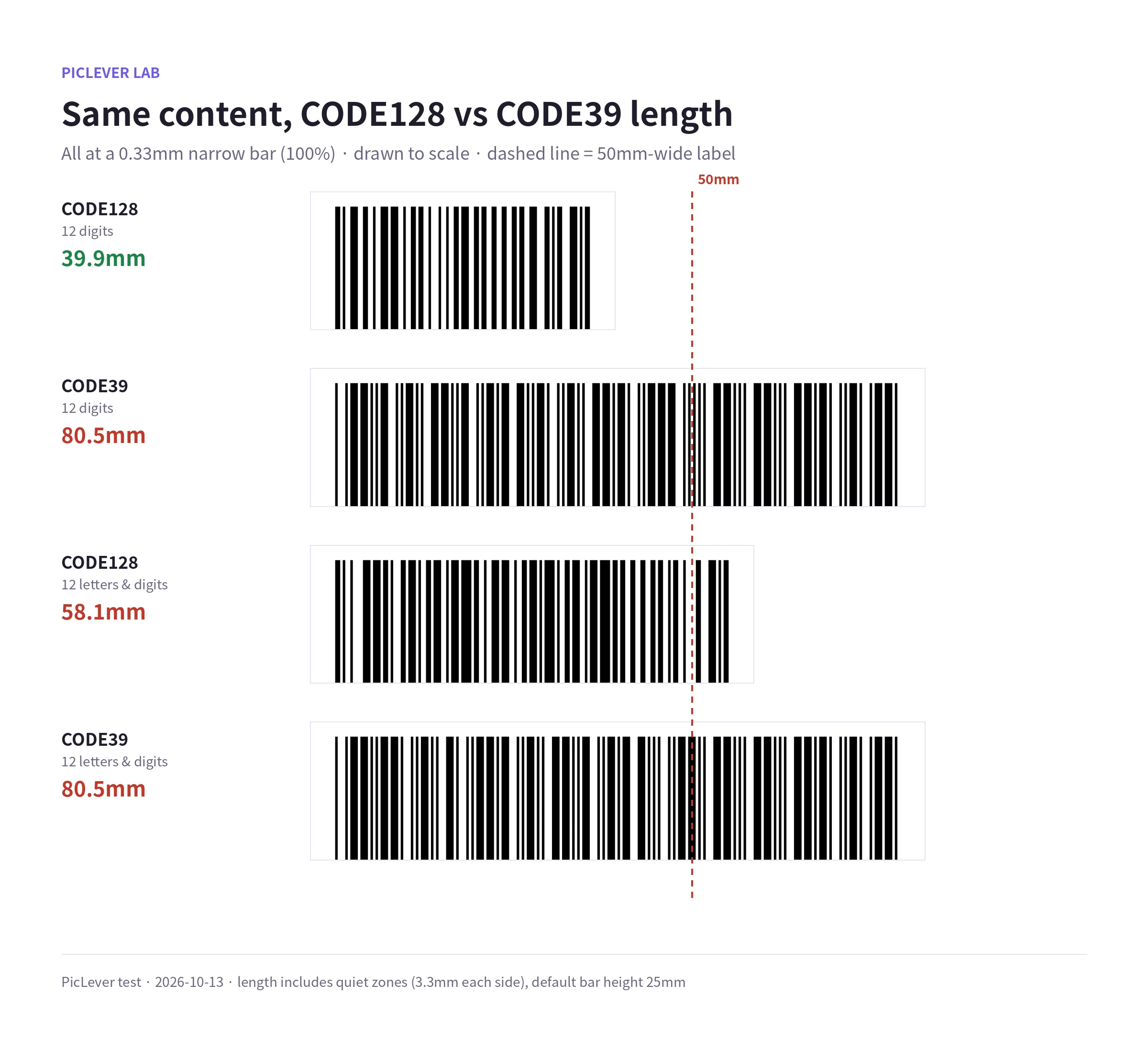
| Content | CODE128 | CODE39 | Difference |
|---|---|---|---|
| 12 digits (202610130001) | 39.9mm | 80.5mm | CODE128 50% shorter |
| 12 mixed characters (PL-2026-0001) | 58.1mm | 80.5mm | CODE128 28% shorter |
| 2 characters (A1) | 25.4mm | 27.7mm | About the same |
-
Both formats used a 0.33mm narrow bar and a 3.3mm quiet zone on each side. The difference comes from how each character is encoded.
-
CODE128 packs two digits into one character slot, so the more digits, the shorter it gets. It did this even for the digit runs inside PL-2026-0001.
-
CODE39 uses a fixed pattern of wide and narrow bars for every character, so it grows by the same amount per character, digit or letter.
Length by number of characters
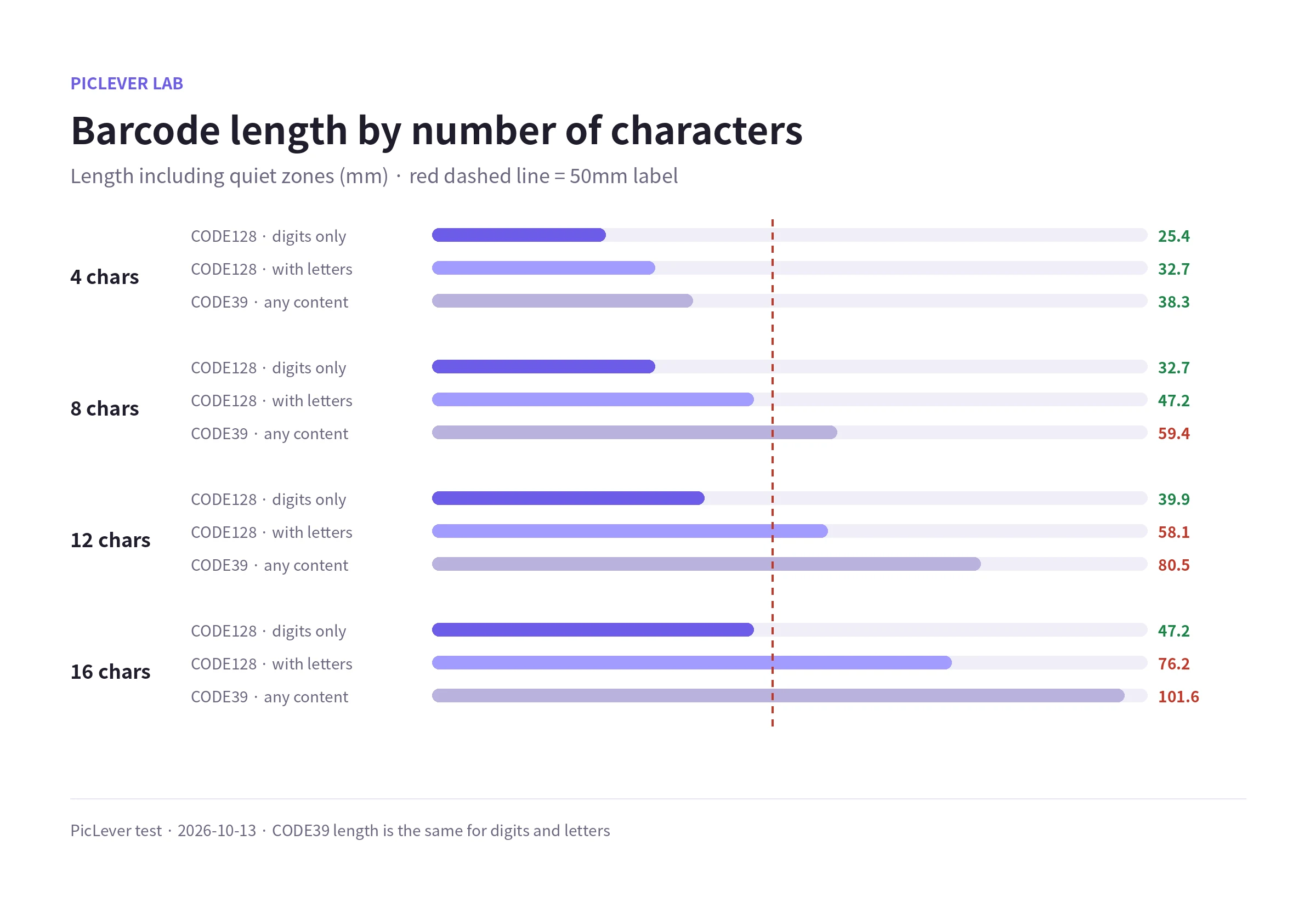
| Characters | CODE128 · digits only | CODE128 · with letters | CODE39 |
|---|---|---|---|
| 4 | 25.4mm | 32.7mm | 38.3mm |
| 8 | 32.7mm | 47.2mm | 59.4mm |
| 12 | 39.9mm | 58.1mm | 80.5mm |
| 16 | 47.2mm | 76.2mm | 101.6mm |
-
On a 50mm-wide label (quiet zones included), CODE128 fit 16 digits or 8 mixed characters. CODE39 fit only 4 characters (38.3mm); 8 characters ran to 59.4mm.
-
For small labels, making your IDs digits-only helps the most: 12 digits were 31% shorter than 12 mixed characters.
Accepted characters and decoding
| Input | CODE128 | CODE39 |
|---|---|---|
| Uppercase letters and digits | Yes | Yes |
| Lowercase (box-a12) | Yes | Rejected |
| Symbols | Most keyboard (ASCII) symbols | Only space - . $ / + % |
| Korean | Rejected | Rejected |
-
PicLever shows a message right away and doesn't generate a barcode for unsupported characters. Lowercase in CODE39 brought up a notice to use only uppercase letters, digits, spaces and - . $ / + %.
-
Decoding the barcodes with ZXing, all 8 read back exactly as entered.
-
CODE128 has a built-in check character that helps catch misreads. The CODE39 codes made here had no check character, so if misreads worry you, use CODE128.
-
Neither format accepts Korean. Switch to a Latin abbreviation (e.g. WH-A-01) or use a QR code, which can hold any text.
How it differs from retail barcodes (EAN-13)
-
Products sold at a store checkout need an EAN-13 built from a number issued by GS1. CODE128 and CODE39 aren't used as product codes at retail checkouts.
-
PicLever's EAN-13 mode checks for 13 digits and a valid final check digit. A wrong check digit produced a "check digit doesn't match" notice and no barcode, and 12 digits prompted for all 13.
-
For EAN-13 sizing, see Barcode Print Size.
Test setup
-
Samples: digits only (4, 8, 12 and 16), mixed (AB12, PL-26-01, PL-2026-0001, PL-2026-0001-BOX), lowercase (box-a12), Korean (창고A-01), 2 characters (A1) and EAN-13 numbers (valid check digit, wrong check digit, 12 digits)
-
Generated in CODE128, CODE39 and EAN-13 with the PicLever barcode generator, recorded the printed size (mm) shown on screen and the bar widths in the SVG, and decoded the PNGs with ZXing · default bar height 25mm · Tested 2026-10-13
Making inventory and asset labels with PicLever
-
In the Barcode generator, set Format to CODE128 · General.
-
Enter your ID in Value. For small labels, digits-only IDs are the shortest.
-
Set the Bar height (mm) and choose whether to Show text under the bars.
-
Check that the size shown on screen (quiet zones included) fits your label width.
-
Click SVG download (for label or design software) or PDF download, print at 100% and test with a scanner.
FAQ
Q. Will my scanner read CODE128?
Most laser and imaging barcode scanners read both CODE128 and CODE39, but some have formats turned off in their settings. Print one label and test first.
Q. Can I make the barcode shorter?
Fewer characters, or digits only, helps most. PicLever's CODE128 and CODE39 use a fixed 0.33mm narrow bar with no width setting.
Q. I need Korean text or a long address.
Use a QR code. For sizing, see QR Code Print Size.