

JPG Quality 90 vs 80 vs 60 vs 40: A Side-by-Side Test
We saved a portrait and a text-heavy graphic at JPG quality 90, 80, 60 and 40, then zoomed in. See how much each step saves and where the quality loss becomes visible.
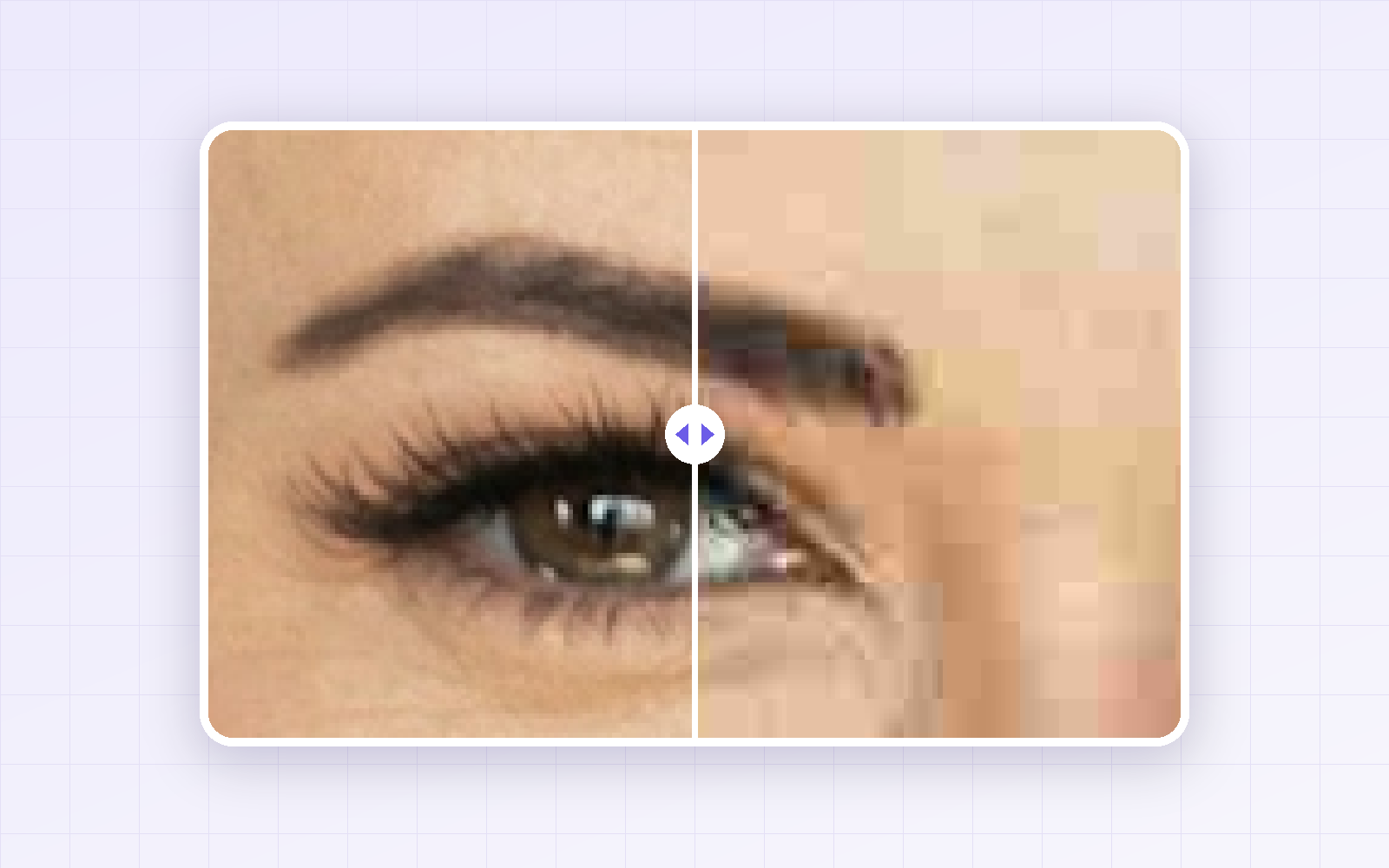
When you lower JPG quality to shrink a file, the real question is: how low can you go before it looks worse? We saved a portrait photo and a text-heavy product graphic at quality 90, 80, 60 and 40, and compared them zoomed in.
Bottom line: for photos, quality 80 was the sweet spot. For text, the edges of letters got visibly messy from quality 60. For text-heavy images, switching to PNG or WebP — or reducing the pixel dimensions — works better than lowering JPG quality.
Recommended settings
| Use | JPG quality | Why |
|---|---|---|
| Photos for websites, blogs, social media | 80 | ~37% smaller than q90 with no visible difference |
| Uploads with a strict file-size limit | 60–70 | Skin texture softens a little, still clearly recognizable |
| Text, tables, screenshots | 90+ or use PNG/WebP | Smudges around letters from q60 |
| Masters you’ll edit again | Don’t compress | Every re-save adds more loss |
Try it with your own photo in PicLever’s image compressor and check the output size as you adjust quality.
How we tested
-
Sample A: portrait photo, 1200×1510 px (original PNG 1.2 MB) — photo by Jake Nackos on Unsplash, downloaded JPEG re-saved as PNG
-
Sample B: product-page graphic with English text, 860×1444 px (original PNG 69 KB, made by us)
-
Each saved at quality 90, 80, 60 and 40; the same area cropped and zoomed about 210–250% · tested Sep 27, 2026
Results: file size by quality
| JPG quality | A — photo | vs q90 | B — text graphic | vs q90 |
|---|---|---|---|---|
| 90 | 199 KB | — | 132 KB | — |
| 80 | 124 KB | −37% | 101 KB | −23% |
| 60 | 80 KB | −60% | 77 KB | −42% |
| 40 | 62 KB | −69% | 62 KB | −53% |
Going from 90 to 80 alone cut the photo by more than a third. Going from 60 to 40 saved only 18 KB more (80 → 62 KB) while the quality drop got much bigger. The lower you go, the less you save and the more you lose.
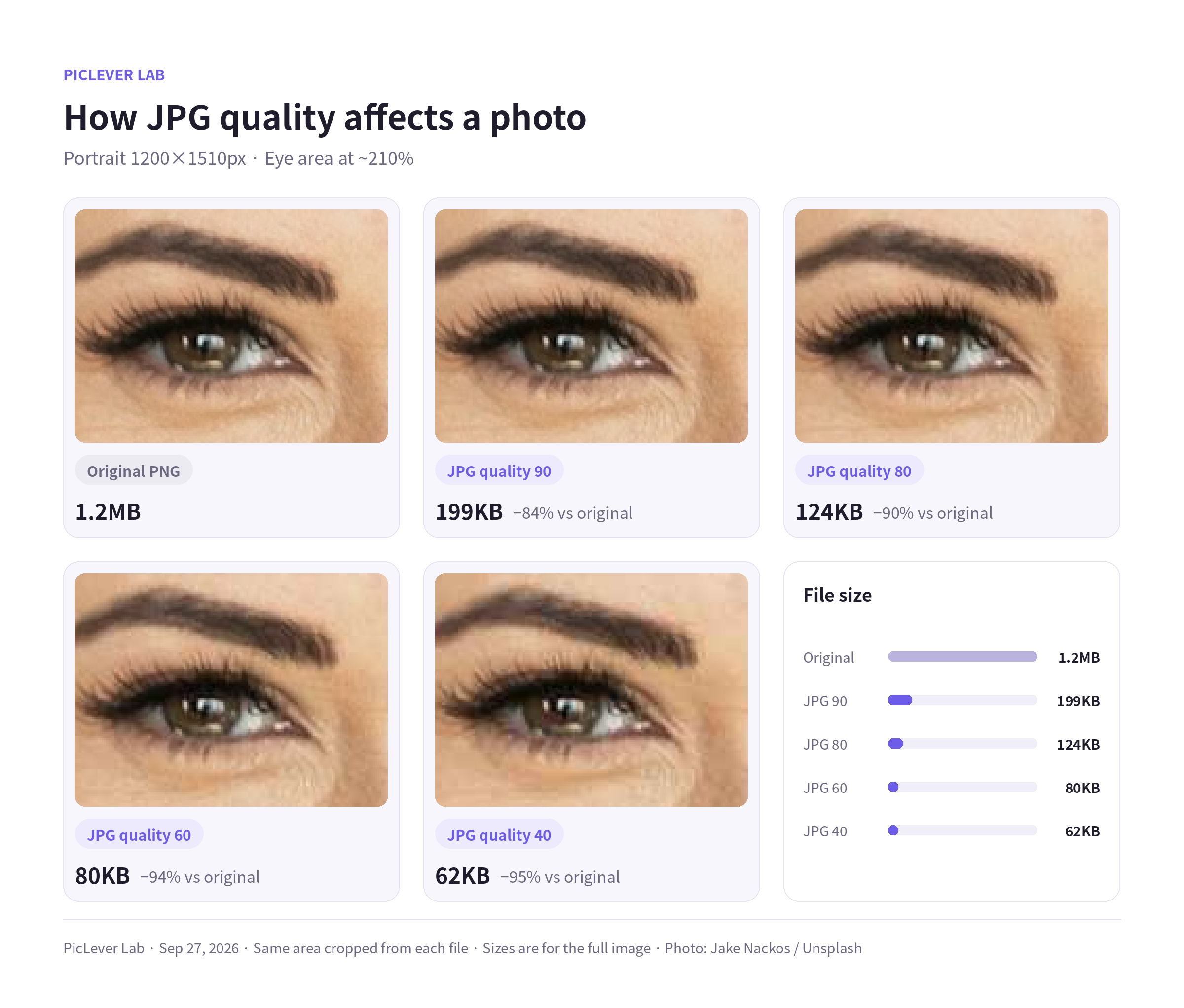
Zoom test 1: portrait
-
90 and 80: hard to tell apart from the original.
-
60: fine lines and skin texture under the eye start to soften.
-
40: blocky patches and color blotches appear on the skin, and the lashes smear.
Zoom test 2: small text
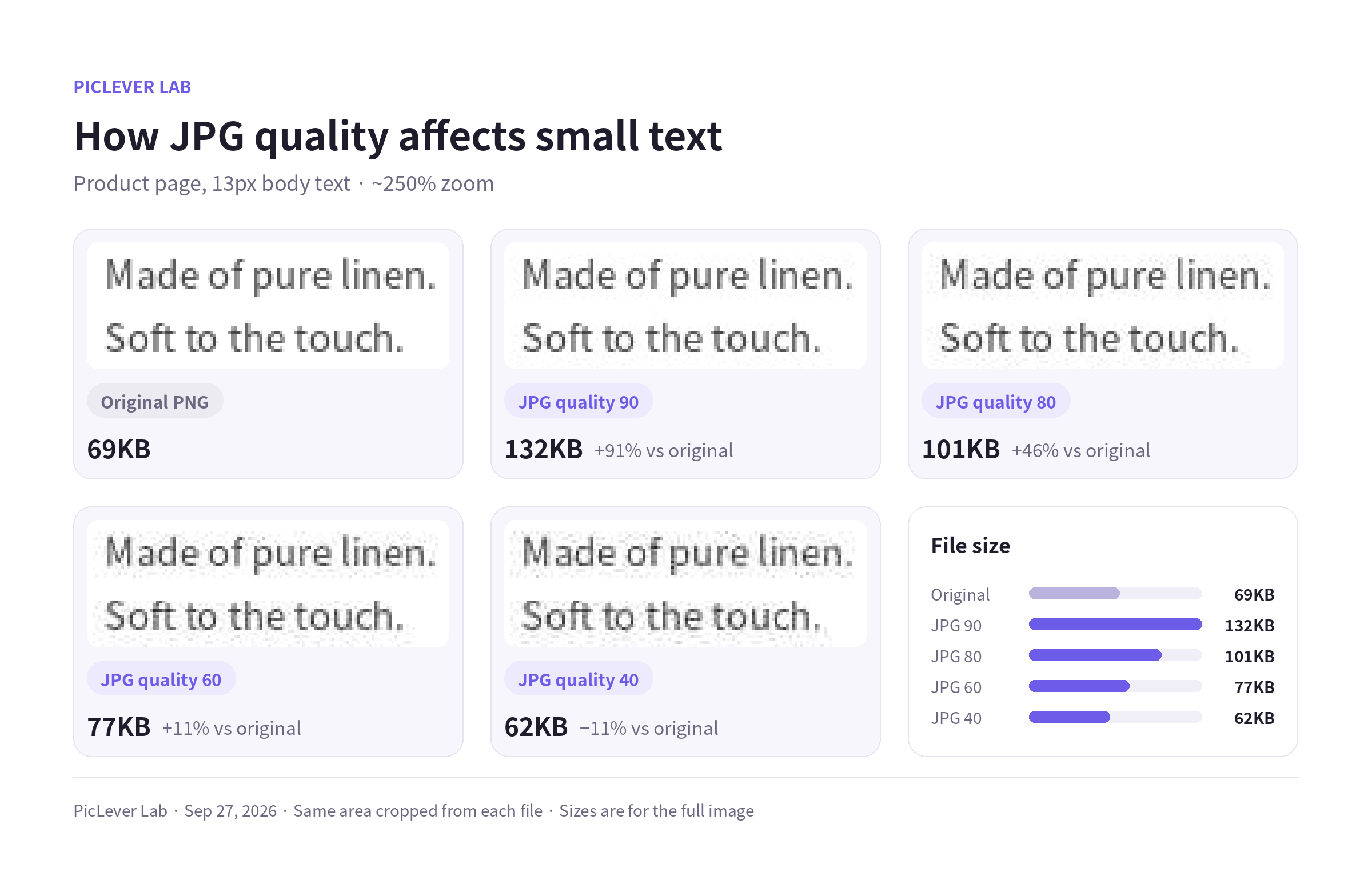
13px body text: faint smudges from 80, clear gray speckles at 60 and 40.
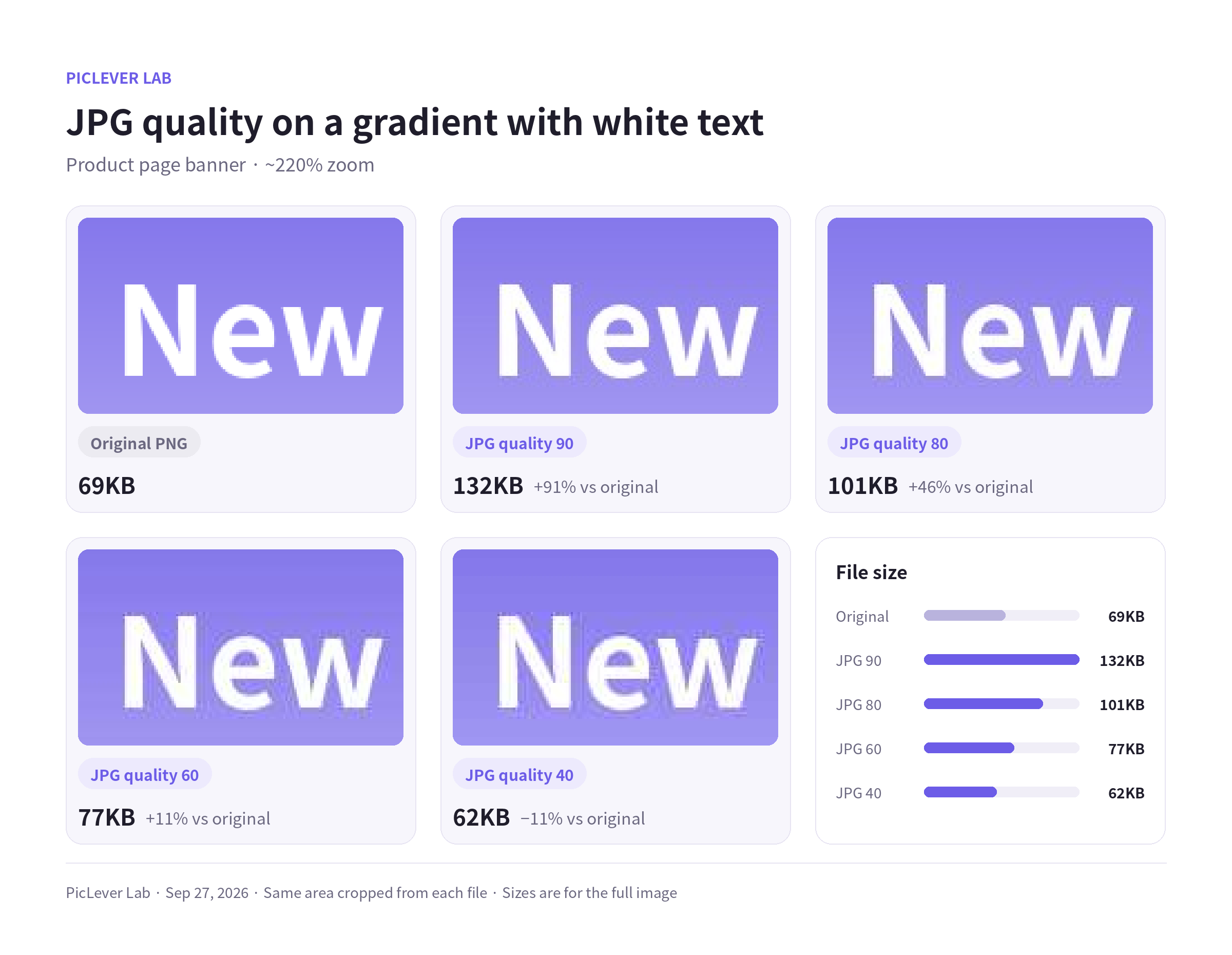
White heading on a gradient: edges get rough from 60, and blotches spread into the background at 40.
Note that this graphic was smaller as a PNG (69 KB) than as a quality-80 JPG (101 KB). For text-heavy images, change the format before you lower the quality.
When lowering quality isn’t enough
-
Reduce the pixel dimensions first. Phone photos are often around 4000 px wide; 1200–2000 px is plenty for most web pages. Halving the width and height leaves a quarter of the pixels.
-
Then set quality to around 80.
-
For your own website, consider WebP. In our test, WebP at quality 80 was 55 KB — about 31% smaller than a JPG at quality 60 (80 KB), with a similar similarity score (SSIM).
Things to watch
-
Quality numbers aren’t standardized. “80” in one app can look different from “80” in another, so judge by the zoomed-in result, not the number.
-
Re-compressing a JPG that was already compressed stacks the losses. Compress once, from the original.
-
Results depend on the image. Busy scenes (foliage, crowds) come out larger; simple images come out smaller.
FAQ
Is JPG quality 100 lossless?
No. Even at 100, JPG loses a little detail, and the file gets much bigger. If you need lossless, use PNG or lossless WebP.
Can I make an over-compressed photo sharp again?
No — the discarded detail is gone. AI upscaling can fill in plausible detail, but it isn’t a true restoration.
Don’t messaging apps compress photos anyway?
Many messaging apps recompress photos by default. If you need the original, look for an option to send in original quality or as a file.
PicLever Lab · Tested Sep 27, 2026 · Photo: Jake Nackos / Unsplash · Other samples made by PicLever